
TL;DR — Quick Summary
- White-label depth is not binary — it has four configuration layers: domain and SSL, app store presence, receipts and notifications, and support identity. Most platforms offer one or two layers convincingly and leave the others as vendor-branded. Every layer where the vendor brand shows through is a point where your merchant knows they are using someone else’s platform — and that is an owned-relationship risk.
- The four layers have different costs to fix and different visibility to your merchants: a custom domain costs $10 to $50 per year and is visible every time a merchant logs in. An app store listing under your brand costs $25 to $99 per year and is visible every time a merchant downloads or updates the app. Branded receipts and push notifications are free to configure on most platforms and are visible to every end customer. A branded support email address is free and visible every time a merchant needs help.
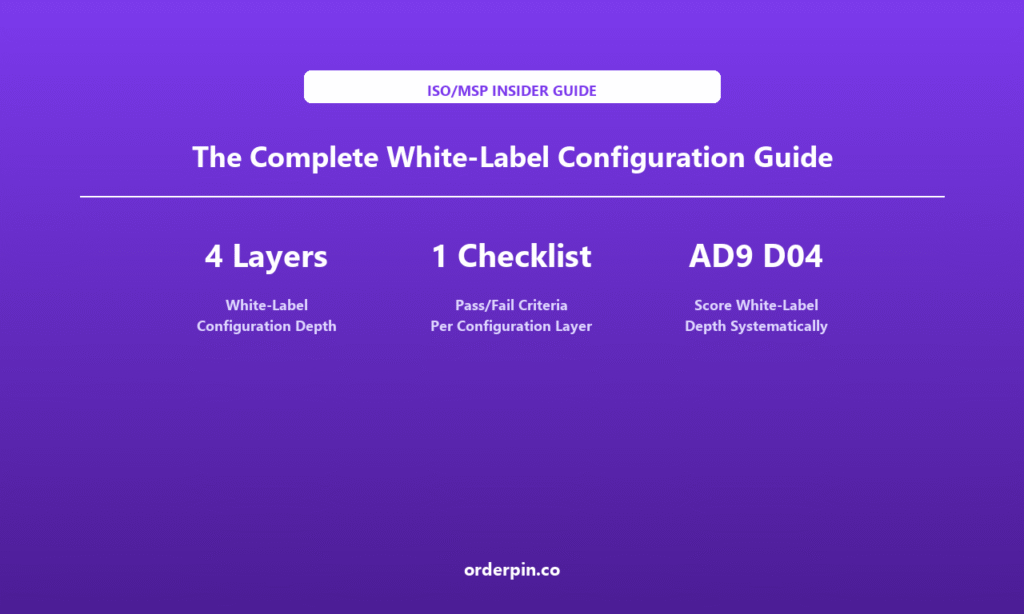
- Score white-label depth with the AD9 D04 framework: before committing, walk the merchant experience from login to support and identify every surface where the vendor brand appears. Use the pass/fail checklist in this article to score each layer and compare platforms on the dimension that most directly determines whether you own the merchant relationship.
Configuration Depth
Per Configuration Layer
Depth Systematically
Why Most White-Label Platforms Fail at Layer Three
The vendor demo usually shows a clean dashboard with your logo in the corner. That is layer one — and it is where most white-label evaluations stop. But the merchant experience runs far deeper than the dashboard: it includes the URL they type into their browser, the app they download from the app store, every receipt and notification they receive, and every support interaction when something goes wrong. At each of these touchpoints, the platform vendor has a default brand — and if you do not configure your own, their brand remains.
The four layers in this guide are the surfaces where white-label depth is tested. A platform that passes all four layers gives you a fully branded merchant experience from first login to support resolution. A platform that passes only one or two gives you a logo on a vendor platform — which is a different product with different relationship-ownership implications.
& certificate
under your brand
branded notifications
& email identity
Layer 1 — Custom Domain and SSL
The merchant login URL is the first brand signal your ISO business sends. If the URL reads app.vendorplatform.com/merchant-login instead of pos.mypaymentsbrand.com, your merchant knows they are on a vendor platform before they see a single dashboard screen. A custom domain is the minimum viable white-label configuration — and the one most commonly skipped by vendors who want to call their product white-labeled.
Implementation options: CNAME redirect (simplest — points your subdomain to the vendor’s endpoint, still shows your domain in the browser address bar on most modern browsers with SNI support), reverse proxy (full white-label — your server terminates SSL and proxies to the vendor, merchant never sees the vendor domain), or platform-native custom domain (some platforms offer native domain mapping where you provide the certificate and they host the login page under your domain — best of both worlds). CNAME redirect is the most common implementation; reverse proxy adds infrastructure complexity but is the only option that fully removes the vendor domain from the merchant experience.
The SSL certificate question: who holds and renews it? Native platform SSL (vendor provides the certificate under your custom domain) is the most convenient. Self-managed SSL (you provide and renew the certificate for your subdomain) is more work but gives you full control. Either is acceptable as long as the certificate is valid and the browser shows the padlock under your domain, not a vendor-branded warning.
Layer 2 — App Store Presence
An app store listing under your brand is the highest-visibility white-label layer — it appears every time a merchant downloads, updates, or reviews the app. A vendor-branded app store listing means your merchant’s mobile home screen has the vendor’s icon, not yours. For a merchant who downloaded the app from your website or sales outreach, this is a brand continuity failure at the most visible touchpoint.
Options for app store white-labeling: vendor-controlled listing with your brand assets (you provide the logo, icon, screenshots, and description; the vendor controls the Apple Developer and Google Play accounts and maintains the listing — lowest cost, but you depend on the vendor to update or correct the listing), ISO-controlled developer account (you create your own Apple Developer Program ($99/year) and Google Play developer account ($25 one-time) accounts and submit the white-labeled build provided by the platform — more control, requires developer account management, and you own the listing permanently), or hybrid (vendor maintains the developer accounts and grants you co-admin access — a middle path that gives you some control without full account management responsibility).
The timeline matters: a vendor-controlled listing can go live at launch. An ISO-controlled developer account takes 5 to 14 days for Apple review and 1 to 3 days for Google Play. Factor the app store timeline into your go-to-market plan — many ISOs underestimate it and launch without an app store presence, then spend months trying to white-label afterward.
Layer 3 — Branded Receipts and Notifications
Receipts and digital notifications (email receipts, SMS confirmations, push notifications) reach your merchant’s customers — not just the merchant. Every branded receipt is a brand impression for your ISO business in front of the merchant’s end customer. A vendor-branded receipt means your merchant’s customer sees the vendor’s name on every transaction, not your merchant’s brand — and by extension, not your ISO brand.
Most platforms offer receipt customization in the dashboard: logo placement, business name, contact details, return policy, loyalty messaging. The configuration typically covers: digital receipts (email and SMS — the sender identity and content template), printed receipts (the template that runs through a thermal printer — merchant name, logo, footer text, offer messaging), and push notifications (the app notification that confirms payment — title, body, sender identity). All three should be configurable without a developer, in the merchant-facing settings panel. If the platform requires code changes to update the receipt template, that is a configuration layer failure.
The notification sender identity question: when the merchant’s customer receives a payment confirmation email or SMS, who is the sender? If the sender reads “OrderPin Support” instead of “mypaymentsbrand support,” the white-label is broken at the customer touchpoint. Confirm that the notification sender can be set to a domain you control before signing.
Layer 4 — Branded Support Identity
When a merchant has a problem, the support experience is one of the highest-stakes brand touchpoints. The merchant is already frustrated — and if they contact support and receive a vendor-branded response (vendor logo, vendor email signature, vendor support portal), they know they are on a vendor platform. The support identity is the layer that most platforms white-label convincingly in demos (because the vendor shows their own polished support) but fail on in production.
The support identity has four components: the helpdesk portal (the URL the merchant visits to open a ticket — must be your domain or subdomain, not the vendor’s), the support email (support@yourdomain.com, not support@vendorplatform.com — this requires you to configure an email address you control to route to the support queue, which most platforms support via email forwarding), the email signature (the reply from your support team must come from your branded email, not a vendor-branded one — confirm the platform allows custom email headers and does not inject a vendor signature), and the chat/widget (if the platform includes a live chat widget on the merchant dashboard, the widget must carry your brand, not the vendor’s).
One specific configuration to verify: if the platform routes merchant support through the vendor’s own helpdesk (e.g., the “Contact Support” button in the dashboard opens a ticket in the vendor’s ticketing system), the white-label is broken regardless of what the email sender says. Ask to see the support workflow from the merchant’s perspective before signing.
White-Label Configuration Checklist
Use this checklist during the vendor demo or sandbox evaluation. For each layer, mark Pass, Partial, or Fail based on the criteria below. A platform that scores Fail on two or more layers is not a white-label platform — it is a white-label option with significant vendor-branded surface area.
| Layer | Pass Criteria | Score |
|---|---|---|
| Domain & SSL | Merchant URL is your domain; valid SSL; no vendor domain in address bar | Pass / Partial / Fail |
| App Store | Listing under your brand name; you control the developer account or have co-admin | Pass / Partial / Fail |
| Receipts | Your logo, name, and contact on all receipts and notifications; sender identity is your domain | Pass / Partial / Fail |
| Support Identity | Your support email domain; your helpdesk portal; no vendor-branded reply headers | Pass / Partial / Fail |
| AD9 D04 Overall | Composite: all four layers Pass or Partial = 4-5; three Pass = 3; two Pass = 2; fewer = 1 | Score: _____/5 |
Use the AD9 D04 scorecard to feed this checklist into your overall platform comparison. A platform with a D04 score below 3 is not a viable white-label option for any ISO that wants to own its merchant relationships — the vendor brand exposure at the merchant touchpoints is structural, not cosmetic.
How OrderPin Handles the Four Configuration Layers
OrderPin is a white-label POS platform built for ISO and MSP partners. On the four configuration layers: OrderPin supports native custom domain mapping with SSL management, ISO-controlled Apple Developer and Google Play accounts with white-labeled builds provided, merchant-configurable receipt templates and notification sender identity under your domain, and branded support email routing under your domain. Use the checklist above to evaluate OrderPin alongside every other platform on your shortlist — and score each layer live in the demo.
Frequently Asked Questions
What is the minimum viable white-label configuration for launch?
Minimum viable white-label is custom domain (Layer 1) and branded receipts and notifications (Layer 3) — these are the two layers that are visible to the end merchant and end customer respectively, and they cost nothing to configure if the platform supports them natively. App store (Layer 2) and support identity (Layer 4) can be added post-launch if the platform supports them. But do not accept a platform that cannot do Layers 1 and 3 natively — these are table stakes, not premium features.
Can I white-label the app store listing without my own developer accounts?
Yes — most platforms offer vendor-controlled app store listings where you provide the brand assets (logo, screenshots, description) and the vendor maintains the developer account. This is the fastest path to an app store presence at launch. The tradeoff is that you depend on the vendor to update the listing and you do not own the developer relationship with Apple and Google. For most early-stage ISOs, this is the right starting point — you can migrate to ISO-controlled developer accounts as your portfolio grows and the app becomes a higher-stakes brand touchpoint.
How do I verify the receipt white-label in a demo?
In the demo, ask to see the receipt template settings and to trigger a test transaction that generates a live receipt. Specifically verify: the business name field accepts your merchant’s brand name (not just a character-limited version), the logo field accepts a standard image format you can provide, the footer text field accepts your return policy or loyalty messaging, and the notification sender field shows your domain, not the vendor’s. If any of these are locked, pre-set to the vendor’s brand, or require a code change to update, that is a Layer 3 partial failure.
What if the platform routes support through the vendor’s own helpdesk?
A vendor-controlled helpdesk is a Layer 4 failure that cannot be worked around without the vendor’s cooperation — because you cannot brand a system you do not control. If the “Contact Support” button routes to the vendor’s ticketing system, ask the vendor directly: “Can I replace this with a link to my own helpdesk?” If the answer is no, the platform is not white-labeling the support layer. This is worth escalating to a deal-breaker conversation, because the support experience is where merchant trust is most fragile.
How long does full white-label configuration take after signing?
Layer 1 (domain and SSL) takes 1 to 3 days if you have your domain registrar access — most platforms can map a custom domain in under an hour. Layer 2 (app store) takes 5 to 14 days for iOS App Store review and 1 to 3 days for Google Play; vendor-controlled listings can go live same-day. Layer 3 (receipts) takes 1 to 2 days to configure the templates. Layer 4 (support identity) takes 1 to 3 days to configure DNS records and email routing. Full white-label configuration — all four layers — typically takes 2 to 4 weeks after signing, with the app store being the longest pole.
Should I score white-label depth separately from the AD9 D04 dimension?
Use this article’s four-layer checklist to generate the evidence for the AD9 D04 (White-Label Flexibility) score. Score each layer Pass/Partial/Fail, then convert to a 1–5 score: four layers Pass = 5; three layers Pass and one Partial = 4; two layers Pass and two Partial = 3; two layers Pass and one Partial and one Fail = 2; fewer than two layers Pass = 1. The detailed checklist gives you evidence-based inputs for the D04 score — rather than scoring on a general impression of “how white-label does this feel?”
White-label depth has four layers — custom domain and SSL, app store presence, branded receipts and notifications, and branded support identity — and most platforms fail convincingly on two or more. Before signing, walk the merchant experience end-to-end and score each layer with the pass/fail criteria in this guide. A platform that scores Pass on all four layers gives you a fully branded merchant experience at every touchpoint. A platform that scores Fail on two or more is a logo on a vendor platform, not a white-label business. Use the checklist to generate evidence-based inputs for the AD9 D04 dimension, and apply the same criteria to OrderPin, a white-label POS platform built for ISO and MSP partners that supports native custom domain mapping, ISO-controlled app store accounts, merchant-configurable receipt templates, and branded support identity under your domain.
About OrderPin
OrderPin is a white-label POS platform built for ISO and MSP partners. We offer full data ownership, flexible pricing, and seamless API integrations to help you build a recurring revenue business under your own brand. Learn more about OrderPin’s white-label solution