
TL;DR — Quick Summary
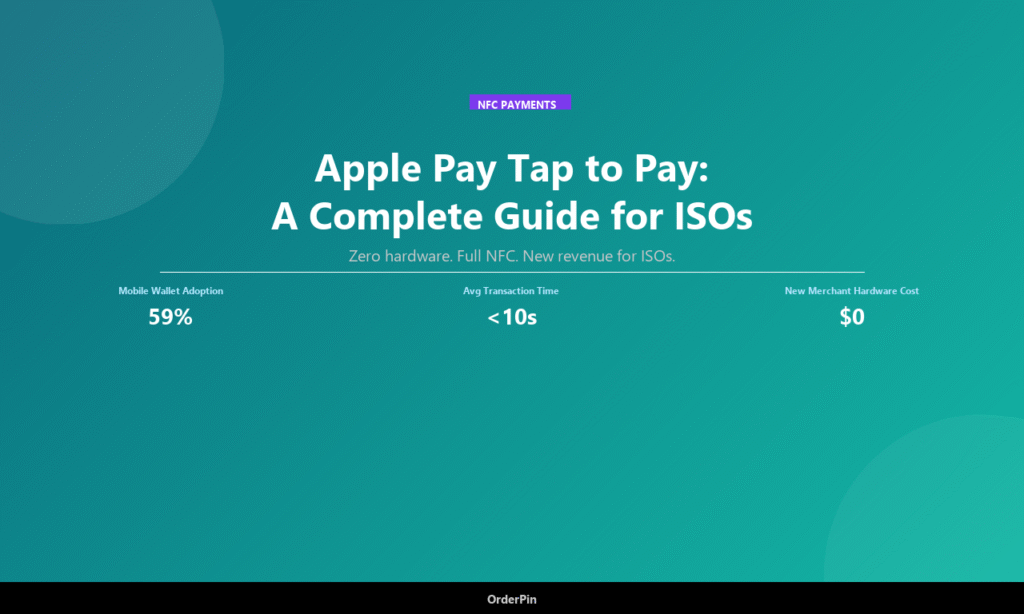
- Key Takeaway 1: Apple Pay Tap to Pay eliminates hardware costs for merchants, letting ISOs offer NFC acceptance without card reader investments.
- Key Takeaway 2: 59% of US consumers use mobile wallets, and Tap to Pay transactions average under 10 seconds — faster than chip and PIN.
- Key Takeaway 3: ISOs should prioritize white-label POS platforms that natively support Tap to Pay to stay competitive in 2026.
What Is Apple Pay Tap to Pay?
Apple Pay Tap to Pay is a software-based NFC payment feature introduced by Apple in 2022 that allows merchants to accept contactless payments directly on a compatible iPhone — without any additional hardware beyond the device already in their pocket. For Independent Sales Organizations (ISOs) and Merchant Service Providers (MSPs), this represents a fundamental shift in how payment acceptance is sold and delivered to small and medium businesses.
Unlike traditional card readers that require merchants to purchase, install, and maintain dedicated hardware, Tap to Pay turns any compatible iPhone into a contactless payment terminal. The feature uses NFC (Near Field Communication) technology already embedded in iPhones, combined with secure tokenization via the Secure Element, to process Visa, Mastercard, American Express, and Apple Pay transactions from any contactless card or mobile wallet.
Last updated: May 2026
How Tap to Pay Works: The Technical Simplified
From the merchant’s perspective, accepting a Tap to Pay transaction is remarkably straightforward:
- Customer taps their contactless card or mobile wallet (Apple Pay, Google Pay, Samsung Pay) on the merchant’s iPhone.
- NFC communication initiates between the two devices, exchanging encrypted payment data.
- Tokenization replaces the actual card number with a one-time token, protecting sensitive data.
- Authorization request goes to the payment processor and card network in real time.
- Approval is returned to the merchant’s device within seconds — the entire process takes under 10 seconds.
For ISOs selling white-label POS solutions, this means you can offer your merchant clients a complete contactless acceptance solution with zero hardware investment on the merchant side. The only requirement is that the merchant has a compatible iPhone (iPhone XS or later) and your POS software with Tap to Pay integration.
Why ISOs Should Care About Tap to Pay
The mobile wallet revolution is no longer emerging — it has arrived. According to 2025 industry data, mobile wallet transactions now represent over 40% of all contactless payments in the United States, and this share continues to grow at approximately 15% year-over-year. ISOs who ignore this trend risk becoming irrelevant to a growing segment of merchants who expect their POS to “just work” with the payment methods their customers prefer.
Here is the business case for ISOs:
- Lower barrier to merchant onboarding: Merchants do not need to buy or wait for card reader shipping. Tap to Pay is activated through a software update, dramatically reducing time-to-first-transaction.
- Hardware cost elimination: According to industry estimates, traditional card readers cost merchants between USD 29 and USD 299 per device. Tap to Pay removes this cost entirely.
- Attracts tech-forward merchants: Restaurants, retail shops, and service businesses run by younger entrepreneurs often prefer minimal hardware. Tap to Pay gives ISOs a compelling pitch to this demographic.
- Interchange revenue opportunity: Tap to Pay transactions generate the same interchange fees as contactless card transactions, preserving ISO residual income.
Tap to Pay vs. Traditional Card Readers: A Comparison
| Factor | Tap to Pay (iPhone) | Traditional Card Reader | Winner |
|---|---|---|---|
| Hardware cost to merchant | USD 0 | USD 29–299 | Tap to Pay |
| Setup time | Minutes (software) | Days–weeks (shipping) | Tap to Pay |
| Transaction speed | Under 10 seconds | 15–30 seconds | Tap to Pay |
| Devices to manage | 1 (iPhone) | 2+ (reader + phone) | Tap to Pay |
| EMV chip support | Contactless only | Contactless + EMV chip | Card Reader |
| PCI DSS scope | Reduced (no card data stored) | Full scope applies | Tap to Pay |
| Supported card types | Contactless (Visa, MC, Amex, Discover) | All major card types | Tie |
Industries Where Tap to Pay Delivers the Most Value
While Tap to Pay works for virtually any merchant that accepts contactless payments, certain industries see disproportionate benefits:
- Quick-service restaurants (QSR): Transaction speed matters enormously in high-volume food service. Tap to Pay cuts transaction time by 50–67% compared to chip-and-PIN, reducing queue lengths and increasing table turnover.
- Mobile service providers: Beauticians, contractors, and delivery drivers who travel to customers can accept payments on the spot using just their phone — no terminal to carry.
- Farmers markets and pop-up retail: Vendors at temporary locations often cannot install fixed POS terminals. Tap to Pay on a phone is ideal for these environments.
- Medical and professional services: Therapists, consultants, and practitioners who bill clients at the time of service benefit from zero-hardware payment acceptance.
Security: Is Tap to Pay Safe?
One of the most common questions from merchants and ISOs alike is whether Tap to Pay is secure. The short answer is: yes, and it may actually be more secure than traditional card acceptance methods.
Apple Pay and Tap to Pay use tokenization as their core security mechanism. When a customer taps their card or mobile wallet, the actual Primary Account Number (PAN) is never transmitted to the merchant’s device. Instead, a one-time token — a randomly generated string of characters — is used for that transaction only. Even if a malicious actor intercepted this token, it would be useless for any future transactions.
Additionally, Apple Pay requires biometric authentication (Face ID or Touch ID) on the customer’s device before payment can proceed, adding an additional layer of verification that physical card transactions lack.
How ISOs Can Position Tap to Pay to Merchants
When selling Tap to Pay to your merchant clients, focus your pitch on three core value propositions:
- The zero-hardware pitch: “Accept Apple Pay, Google Pay, and contactless cards on the iPhone you already own. No card reader to buy, no shipping to wait for.”
- The speed pitch: “Your customers are already used to tapping their phones to pay everywhere. Make checkout faster and keep those lines moving.”
- The security pitch: “Every transaction is tokenized and encrypted. You never handle card numbers, which means less liability and simpler PCI compliance.”
Frequently Asked Questions
Do merchants need an Apple Developer account to enable Tap to Pay?
Yes, merchants and ISOs offering Tap to Pay through their own applications need to enroll in the Tap to Pay on iPhone program through Apple Developer, which requires accepting Apple’s terms and conditions. The enrollment is free, but the merchant’s POS software must be integrated with Apple’s Tap to Pay SDK. OrderPin provides this integration out of the box for ISO partners.
What happens if a customer tries to pay with a chip card that is not contactless?
Tap to Pay only processes contactless payments — cards with the contactless symbol (four curved lines) or mobile wallets like Apple Pay and Google Pay. Traditional chip-and-PIN cards without contactless capability cannot be tapped. For merchants who serve customers with older cards, a supplementary card reader that supports EMV chip transactions is still recommended alongside Tap to Pay.
How does Tap to Pay affect ISO residual income?
Tap to Pay transactions generate standard contactless interchange rates, which are comparable to — and in some cases higher than — traditional card-present rates. ISOs earn residuals on these transactions in the same way they do for other card-present transactions. The absence of hardware costs does not reduce interchange revenue; it simply lowers the barrier to entry for merchants.
Can Android merchants use Tap to Pay?
Android has its own equivalent: Tap to Pay on Android (Google Pay Tap to Pay). While the technical implementation differs, the concept is identical — allowing merchants to accept NFC contactless payments using a compatible Android device. ISOs should ensure their white-label POS supports both platforms to maximize merchant market coverage. Square, Toast, and Clover all support Android Tap to Pay through their respective SDK integrations.
Does Tap to Pay work offline without an internet connection?
No, Tap to Pay requires an active internet connection to authorize transactions in real time. The payment token is generated locally on the device, but the authorization request must travel to the payment processor and card network over the internet. Merchants in areas with unreliable connectivity should ensure they have a backup payment method available.
Conclusion
Apple Pay Tap to Pay represents a paradigm shift in how payment acceptance is delivered to merchants. For ISOs and MSPs, it is both an opportunity and a competitive necessity. Merchants increasingly expect their POS to accept the payment methods their customers use — and with 59% of US consumers regularly using mobile wallets, contactless is no longer optional.
The business case is compelling: zero hardware costs, faster transactions, reduced PCI scope, and the same interchange revenue as traditional card acceptance. ISOs who can offer Tap to Pay through their white-label POS platform will have a decisive advantage in merchant acquisition and retention.
The question is no longer whether Tap to Pay will become standard — it is whether your POS platform is ready to deliver it today.
Why ISO Partners Choose OrderPin
About OrderPin
OrderPin is a white-label POS platform built for ISO and MSP partners. We offer full data ownership, flexible pricing, seamless API integrations, and native Tap to Pay support to help you build a recurring revenue business under your own brand.
Learn more about OrderPin’s white-label solution